How to change app version in android studio
how to change app version in android studio? Following method is to change the version number of application in Android Studio V 3.1 using settings. There are two methods we can follow, let’s have a look at both
Method 1: Using Setting Popup
Step 1) Just go to Project and Right Click on “app” then select “Open Module Settings”
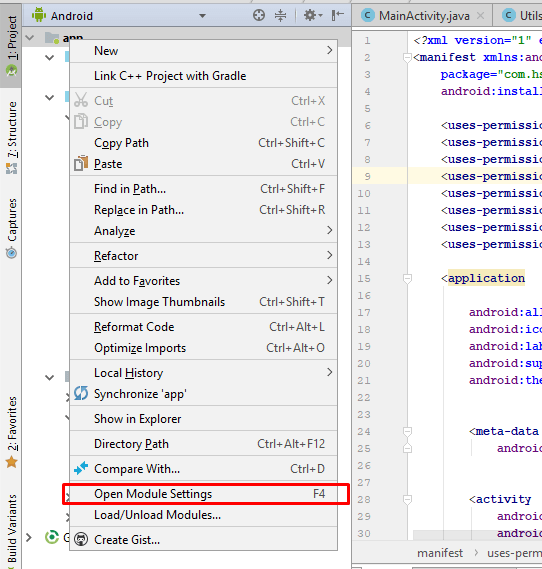
Step 2) In opened Model select “Flavors” tab then change “Version Code” and “Version Name” as shown in the image below.
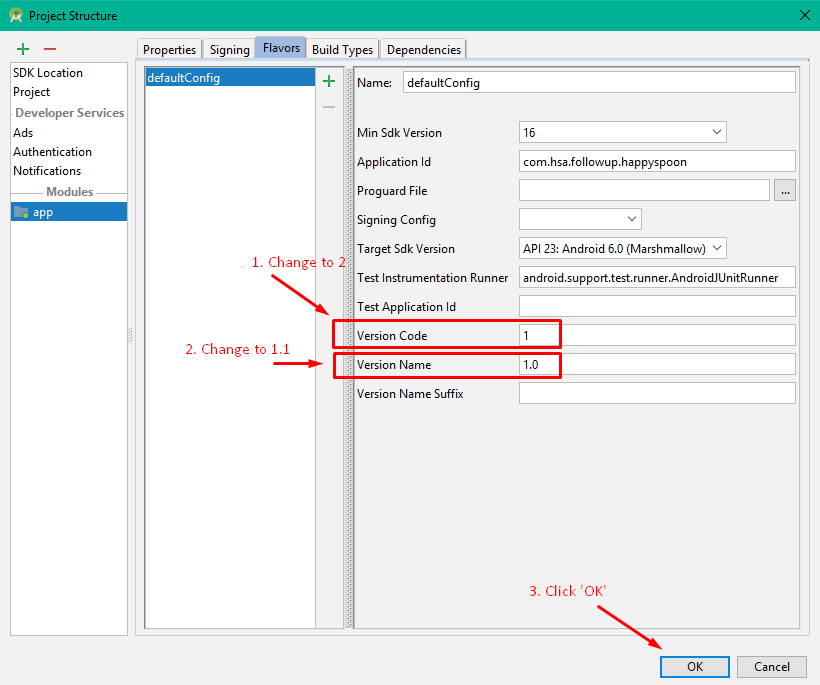
Now click “OK”.
how to change app version in android studio mathod second.
Method 2: Changing “build.gradle” file values
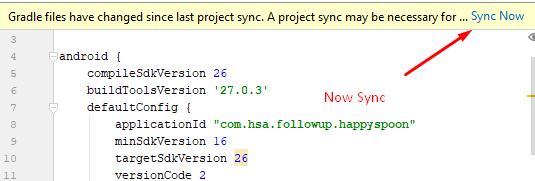
Step 1: Open build.gradle(Module:app) then change the value of “versionCode” and “versionName” under defaultConfig as shown below:
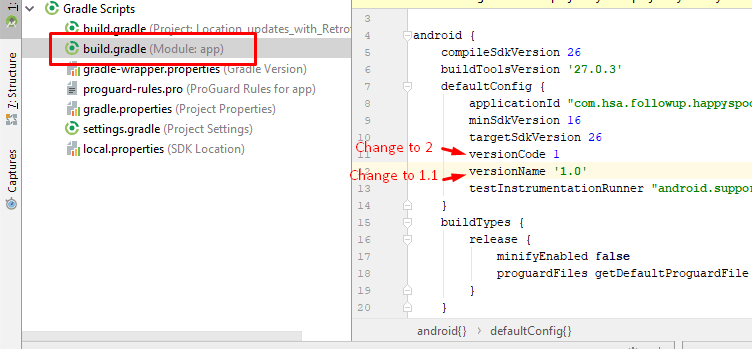
Step 2: Now click on “Sync Now”
Read more